03 Sep 2025
Mesh WiFi vs Extenders: What’s Best?
Smart Technology



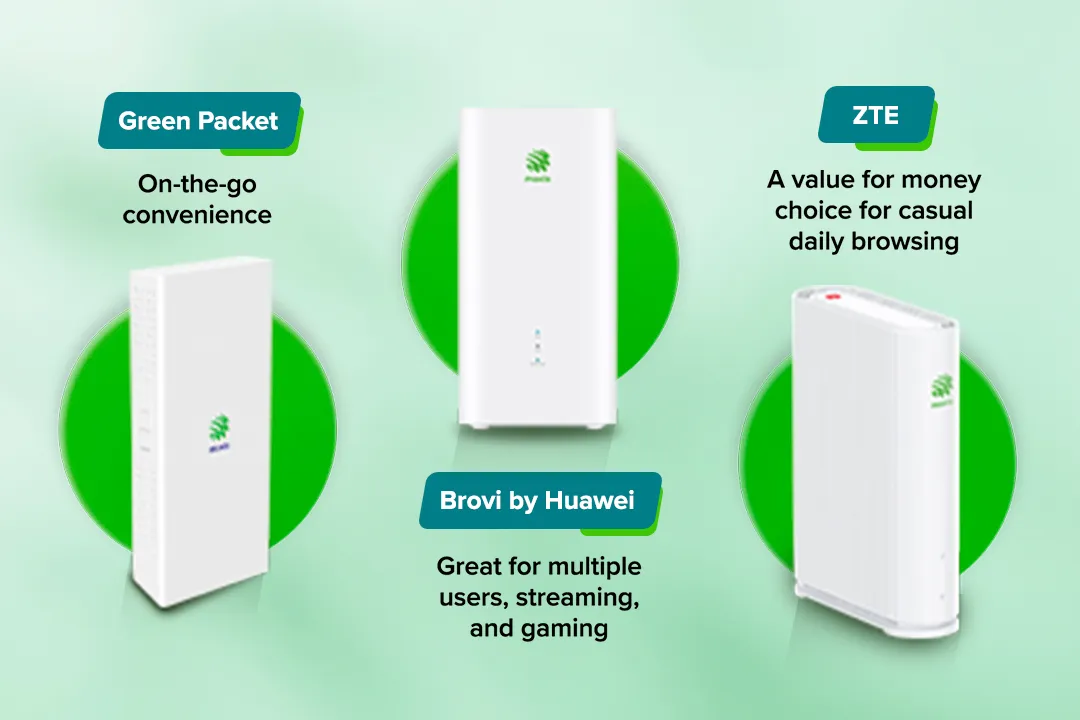
Having fast internet is only part of the story — your home WiFi experience also depends heavily on the hardware you use. Whether you’re relying on a standard fibre router or exploring advanced WiFi solutions, the right device can make a big difference in your speed, stability, and overall satisfaction.
In this guide, we’ll walk you through how to choose the right WiFi router based on your home size, usage habits, and fibre internet plan. Whether you’re a casual user or managing a smart home setup, we’ll help you understand what to look for and how to make the most of your connection.
Think your internet plan is the only thing that affects speed? Think again.
While a stable fibre or 5G connection is essential, your WiFi router plays an equally important role. It’s the link between your internet provider and your everyday online activities — from binge-watching dramas on your smart TV to uploading files on your laptop.
A poor-quality or outdated router can be the root cause of:
In other words, you could be paying for high-speed internet but getting mediocre performance due to an underperforming device. Investing in the right WiFi device ensures better signal coverage, stronger speeds, and a more seamless experience, especially in multi-user households.
Getting a fast and reliable home WiFi experience starts with choosing the right setup, not just the device itself. Here’s a simple way to decide what works best for you and your household.
Unsure to choose? Check your area’s coverage or speak with a Maxis expert to see whether Maxis Fibre or Maxis 5G Home WiFi is right for your needs.
Once you’ve chosen your internet connection, the next step is to decide whether to use the router provided by your telco or purchase your own.
Option A: Use the Router from Your Telco
Most internet plans come with a pre-configured router designed to work seamlessly with your connection. For example, Maxis customers enjoy high-quality WiFi 6 Certified Routers that deliver faster speeds and better coverage right out of the box.
If you want to maximise your connection even further, consider Maxis MaxWiFi by Maxis Maxperts — a managed WiFi solution from Maxis that’s professionally optimised for your home layout and device usage.
Option B: Bring Your Own Router
If you prefer buying your own router, make sure it matches your internet plan and performance needs. Here’s what to look for:
If you’re wondering which one of the above is the best option, the answer lies in your individual needs and environment. The right router and configuration can make all the difference in delivering smoother streaming, faster downloads, and stronger signals across your home.
A studio or one-bedroom unit can typically get by with a basic home WiFi router. But if you're in a multi-storey house or spacious condo, you’ll want something more robust like a mesh WiFi system or a high-performance WiFi 6 router. Thick walls, concrete structures, and long hallways can block signals. That’s where choosing the right WiFi device becomes essential.
These are just some examples of things that can affect your WiFi coverage, for more information, refer to our article on the subject, “Understanding How WiFi Coverage Impacts Internet Performance”.
Your fibre router should match (or exceed) your subscribed internet speed. For example, if you’re on a 300Mbps plan, but using an outdated router that only supports 100Mbps, you’re leaving a lot of speed on the table.
Moreover, you should also look for routers that support Gigabit WAN ports and the latest WiFi standards (like WiFi 6 or even WiFi 6E) for future readiness.
In today’s households, the average number of connected devices can range from 10 to 30 (including phones, laptops, TVs, tablets, smart speakers, and IoT devices). If your router can’t handle multiple concurrent connections efficiently, it could lead to lag or instability.
Curious how many devices your network can really handle? Check out our article “How Many Devices Can Your Fibre Connection Handle? A Practical Guide” for more insights.
Are you mainly browsing and streaming? Or do you also game online, attend Zoom calls, or transfer large files regularly?
Power users such as gamers, streamers, or remote workers will benefit from routers with QoS (Quality of Service) features that prioritise bandwidth for key applications. For others, a standard WiFi router might be the best choice.
WiFi technology evolves quickly. Investing in a current-gen WiFi device ensures compatibility with new gadgets, faster speeds, and security updates. For instance, routers with WiFi 6 (or at minimum, dual-band AC routers) are more future-proof than legacy single-band devices.
Not sure where to begin? Here are some starter recommendations based on different living situations and user needs.
If you live in a studio or one-bedroom apartment, chances are your space is compact and your WiFi signal doesn’t need to travel far. In this case, a standard fibre router included with your plan can provide strong, stable coverage for activities such as browsing, streaming, or online shopping. The tip is to place your router in a central, open location to maximise signal reach and reduce weak spots.
Families or those living in multi-room homes may notice that WiFi signals weaken across different areas, especially through thick walls or on different floors. To maintain consistent coverage, consider options such as WiFi 6 routers or Mesh WiFi setups, which help distribute your signal evenly and handle more devices efficiently.
If you move frequently or live in a rental home where fibre installation isn’t practical, a 5G Home WiFi solution could be the right fit. With Maxis 5G Home WiFi, you can enjoy fast, reliable internet with a simple setup, no drilling, and no long-term installation.
Ultimately, the best home WiFi setup depends on your unique environment and usage patterns. The good news is, you don’t have to figure it out alone. Maxis offers solutions, along with expert support that can optimise your network for your specific needs.
Your internet experience depends on more than just your plan — it’s also about the tools you use. The right home WiFi router or wifi device can unlock the full potential of your connection, whether you’re on fibre or 5G.
From seamless streaming and uninterrupted Zoom meetings to strong signals in every room, upgrading your fibre router setup is one of the best ways to enhance your daily digital life.
And if you’re looking for the best WiFi router in Malaysia, it starts with understanding your needs — and choosing a solution that grows with your home.
Ready to upgrade your WiFi experience? Talk to: Maxis baout optimising your home setup today.