08 Jul 2026
Gaming Laptop vs Gaming PC: Which One Should You Choose in 2026?
Lifestyle



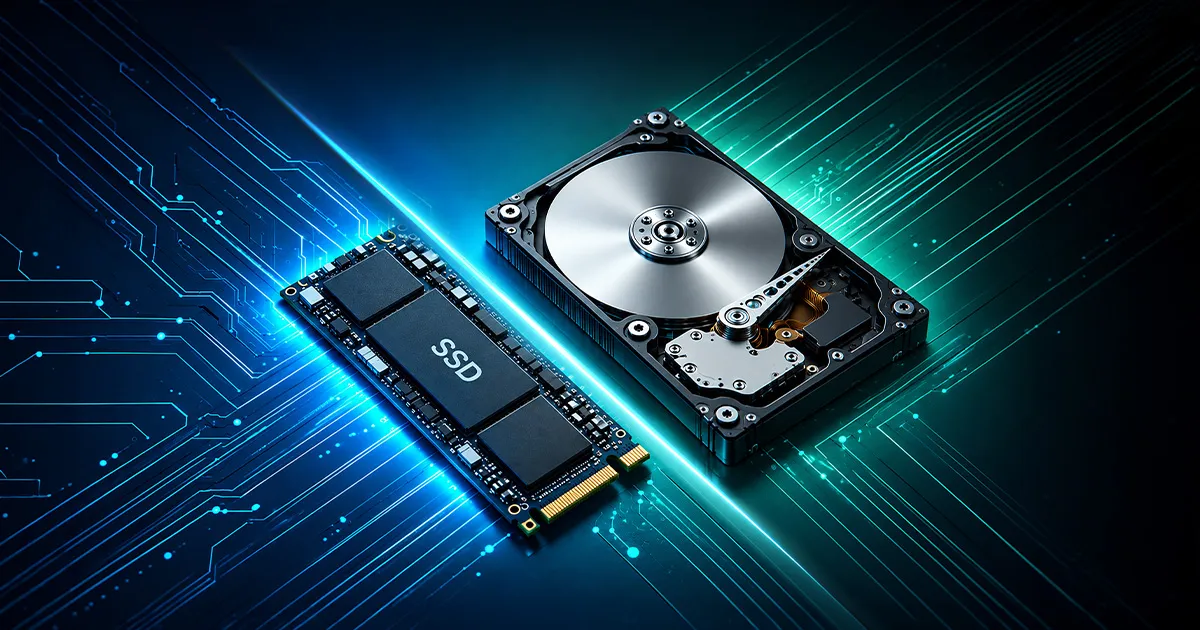
When building or upgrading a gaming setup, most people focus on the processor, graphics card, and RAM. But storage matters too. Understanding SSD vs HDD can help you choose the right storage for faster loading, smoother updates, and a better gaming experience.
In simple terms, SSDs are faster, while HDDs usually offer more storage for a lower price. Both can store games, but they perform differently.
An HDD, or hard disk drive, is a traditional storage device that uses spinning disks to read and write data. It has moving parts, including a disk and a read/write head that accesses stored information.
HDDs are usually cheaper and available in larger storage sizes. This makes them useful for storing many games, videos, photos, backups, and large files.
However, because HDDs rely on moving parts, they are slower than SSDs. Games installed on an HDD may take longer to launch, load maps, or move between levels.
HDDs can still be useful, especially if you need a lot of storage at a lower cost. They are often a practical secondary drive for files or games that you do not open often.
An SSD, or solid state drive, stores data using flash memory. It has no moving parts, which makes it faster, quieter, and more durable than an HDD.
For SSD gaming, this means games can load faster, updates may install faster, and your system can feel more responsive.
An SSD is especially useful for:
If you often play modern games with large maps, detailed textures, or frequent loading screens, an SSD can make the experience feel much smoother.
The main difference between a hard disk and a solid-state drive is how they store and access data.
An HDD uses spinning disks and a moving read/write head. An SSD uses memory chips to access data almost instantly.
Here is a simple comparison:
| Feature | HDD | SSD |
|---|---|---|
| Storage type | Spinning disk | Flash memory |
| Speed | Slower | Faster |
| Moving parts | Yes | No |
| Noise | Can make noise | Quiet |
| Durability | More sensitive to movement | More durable |
| Price per GB | Usually cheaper | Usually more expensive |
| Best use | Large storage and backups | Gaming, system drive, daily use |
If you want your games and system to feel faster, an SSD is usually the better option. If you need affordable large storage, an HDD can still be useful.
When comparing SSDs vs HDDs for gaming, SSDs are usually better for performance. They reduce loading times and make games feel more responsive.
However, SSDs do not usually increase your frame rate. Your FPS still depends mostly on your CPU, GPU, RAM, display settings, and game optimisation.
An SSD helps more with:
An HDD is still useful if you need affordable storage for games you do not play often, media files, backups, or older titles where loading speed is less important.
For most gamers, an SSD is the better choice for active gaming, while an HDD can be used for extra storage.
An external SSD for gaming can be useful if your laptop, PC, or console is running low on storage space.
It allows you to store and play games without replacing your internal drive. It is also portable, so you can carry your game library with you.
An external SSD is useful for:
However, performance depends on the SSD quality and connection type. For best results, use a fast USB connection and check whether your device supports external game storage.
Before choosing between SSD vs HDD, think about your needs, budget, and device compatibility.
Here are some quick tips:
The best storage choice is not always the biggest or most expensive option. It is the one that matches how you play and how much space you need.
Storage helps your games load faster, but internet speed still matters for downloads, updates, cloud saves, multiplayer gaming, and cloud gaming.
A large game update can take longer if your connection is slow. Online games may also feel less stable if your internet connection is weak or congested.
For home gaming, Maxis Home Fibre can support households with multiple users and connected devices, especially when gaming, streaming, studying, or working online happen at the same time.